KeyShot

How to replace physical product photography shoots in manufacturing

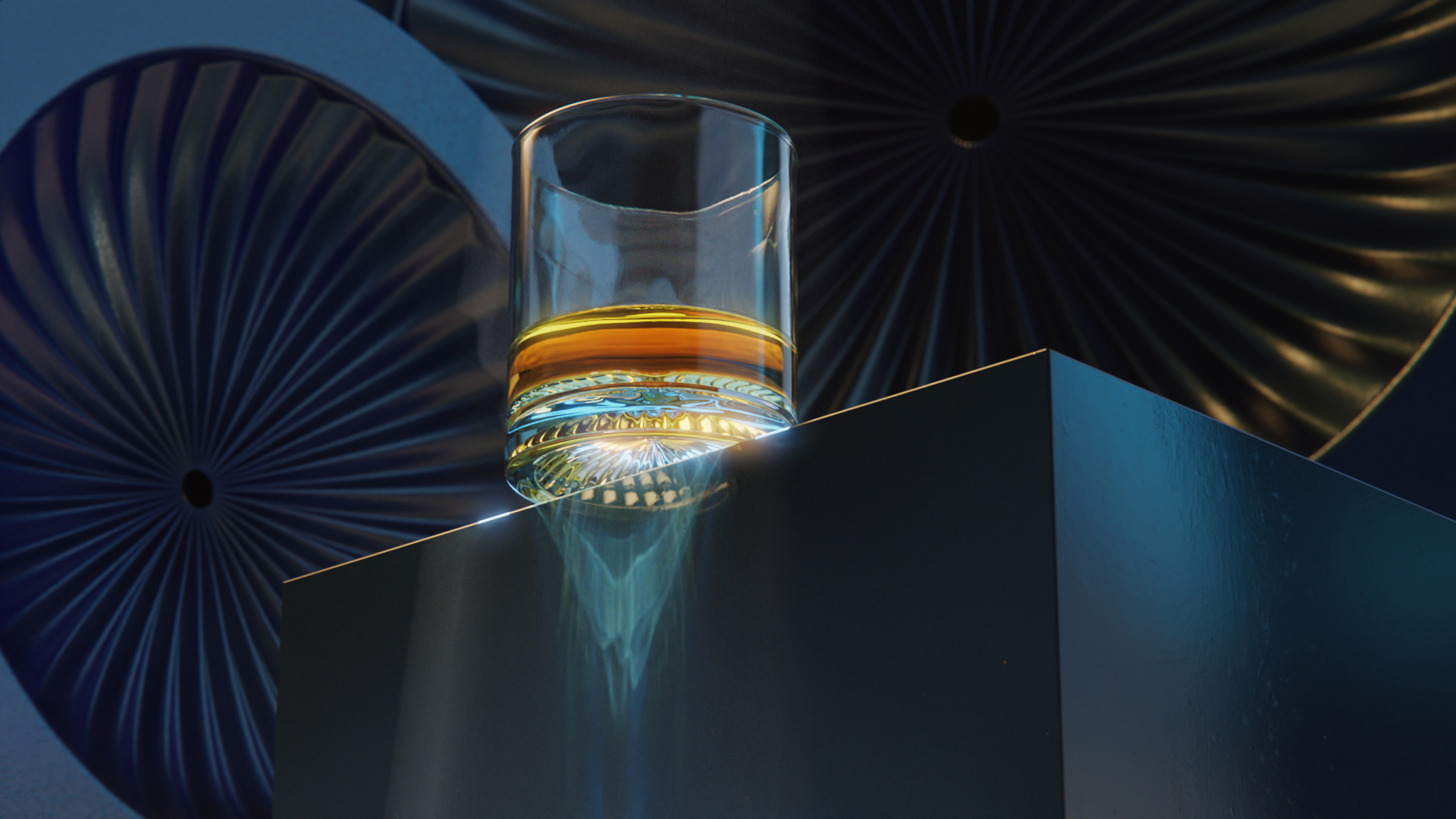
sesiones fotográficas keyshot

Rendering technology has earned its place in manufacturing marketing with high-SKU configurable catalogs and pre-production launches when no physical unit exists yet. Not to mention the cost cutting. Manufacturers who have made the switch report cutting product development costs by up to 60%. Yet, senior marketers will first weigh portfolio depth, engineering dependencies and the nuance of human visual perception before drawing conclusions about whether the renderings hold up commercially across their catalog.

It’s not necessarily an argument for which is the better technology between photography and 3D rendering. It’s which products belong in which pipeline? What does that split cost to run? And where does physical photography own better output?

How much does product photography cost?

Traditional photography requires multiple physical set ups in different lighting and background environments. This incurs significant costs that compound as the product catalog expands.

Production costs

These are costs companies can prepare for because they’re straightforward and can be quantified. They’ll pay creative day rates for photographers, digital technicians, lighting directors, and prop stylists. They’ll cover logistical bills for heavy industrial equipment—medical diagnostic systems, for example— and large consumer durables. Transporting pre-production prototypes has to be covered early on too, and that might be through freight shipping, rigging, or special handling for safe outcomes. 

In cases that require products to be captured in situ, field production crews will have to adjust the cost per finished asset for location fees, travel expenses, and site insurance.

Operational costs

This is where the major drain on corporate resources typically occurs and some of it isn’t even monetary. Organizational dependencies and supply chain friction are constraints that are harder to manage and put too much pressure on companies and their marketing teams. 

  • Scheduling dependencies: Marketing teams are routinely held back by production schedules. Before launch campaigns go into effect, they must wait for a production-grade physical unit to roll off the line and that delays the creation of e-commerce layouts and distributor sheets they need to work with.
  • Engineering delays and scrapped work: pre-production prototypes of a product can quickly become unuseful if an engineering update or component revision occurs mid-cycle. Any completed imagery of that variant becomes inaccurate and marketers have to choose between launching with outdated visuals or writing off the initial shoot budget.
  • Prototype maintenance: Physical models handled on set are prone to scratches or misaligned labels. Sometimes, shipping doesn’t get things right and other times, manufacturing defects become bigger problems under high-intensity studio lighting. This would require extensive, billable post-production retouching that takes too much from finances.

How catalog scale increases costs

Consider a product family with 8 geometric configurations, 6 colorways, and 4 material finishes. This is about 192 unique SKUs (stock keeping units) that need to be photographed. Traditional photography costs will compound at scale whenever there are configurable product portfolios like this due to variance depth.

Capturing an extensive grid requires individual unboxing then physical assembly, precise staging, and manual camera recalibration for every single variation. If there is a need to modify labels across an existing family, the whole physical toolset must be re-mobilized and rearranged.

Modification typeHow it works with traditional photographyHow it works with 3D rendering
New colorway introductionRequires physical manufacturing of variants, staging, and precise lighting matches to align with existing catalog pages. There’s an additional cost for every colorIt’s applied instantly via digital material or shader updates to the existing 3D model data. Batch rendering produces multiple tenders with no need for  manual reconstruction.
Surface finish or texture shiftNeeds a new physical production run and manual studio testing to accurately capture how the altered surface texture scatters ambient studio light.CAD software calculates surface micro-textures and light scattering automatically then generates photorealistic reflections across SKUs without need for manual retouching.
Mid-cycle design revisionTriggers a scrap of existing imagery. Requires waiting for updated physical prototypes to be manufactured, followed by a re-mobilization of the studio.Rendering in CAD replaces the old component while keeping retaining materials, camera angles, and environmental parameters intact.
SKU multiplicationEach added SKU requires individual handling, setup time, studio floor space, and manual post-production retouching.Scaled via automated scripting or configurator setups that render multiple (up to thousands) of variations overnight without physical intervention.

Grouping products for 3D Rendering Vs Photography

1. Fully defined products

These are assets where the complete value proposition, physical form, and material characteristics are extensively documented in engineering CAD data and manufacturing specifications. For all practical purposes, this kind of product is digitally complete before it is physically assembled.

2. Partially defined products

Here, the core structural form is digitally fixed via CAD, but the final visual appearance depends heavily on surface treatments and variable textures. These products require careful material calibration, customized shaders and highly controlled lighting design to achieve visual believability in rendering programs.

3. Experience-dependent products

The primary consumer value of these products are communicated through human interaction, emotional alignment, and integration with uncontrolled natural environments. Their visual appeal relies on the spontaneous realities of the physical world.

What products are easiest to render in CAD?

Certain product categories align naturally with CAD rendering because their primary value proposition is tied to how precise their frames must be, if there are textural variations, or if they’re predictable surface materials. If your portfolio falls into these four categories, you should consider 3D rendering for marketing needs.

Machinery and industrial products

Heavy machinery and sub-assemblies are first fully formed within software like SolidWorks, Autodesk Inventor, or PTC Creo. This means their digital definition is detailed before manufacturing begins. A rendering engine can accurately read their engineering information and create clear cross-sections, internal technical views, and detailed callouts that would be difficult or impossible to capture with a physical camera lens.

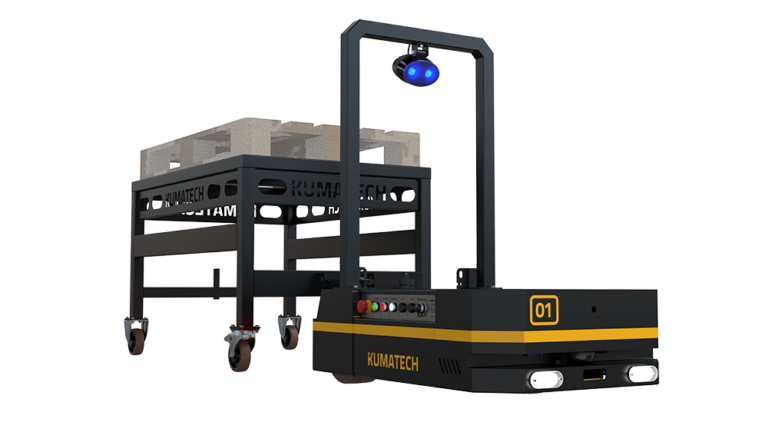
Kumatech, a manufacturer of heavy Automated Guided Vehicles (AGVs) and industrial storage systems, formerly used physical photoshoots for massive vehicles and that created a congested schedule alongside studio fees that didn’t stop climbing. But because vehicles like Tractor Tom and Forklift Joe are fully CAD-defined in Rhinoceros before assembly, the marketing team integrated KeyShot Studio into their design-to-market workflow and didn’t need physical images anymore. They cut costs of photography and transportation, were able to update technical documentation instantly with engineering changes, and reduced time-to-market results.
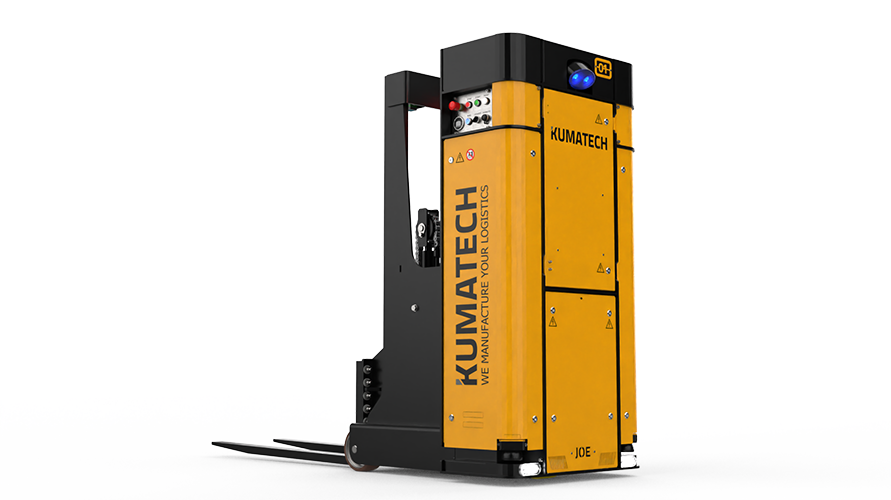
kumatech-Forklift-Joe-side-floor-3d-rendering

High-variation configurable product systems

Office furniture, commercial lighting, and modular electronics are sold through an ample configuration array. One modular desk system can feature hundreds of combinations of metal finishes, wood veneer grains, grommet styles, and spatial layouts. 3D rendering tools use parametric variations from the product data to produce complete catalogs of variants without extra effort.

Standardized high-volume electronics and components

This category includes consumer technology—smart home devices, power tools, complex hardware sub-assemblies, etc. They are shaped by highly predictable, controlled, non-organic surfaces. Because their design is entirely self-contained and their surfaces interact with studio light in uniform ways, CAD rendering engines can simulate them photorealistically. They need to be captured by pristine studio presentations not unpredictable natural environments and CAD environments emulate that well.

Performance gear with complex technical geometries

For sports equipment, protective gear, and other high-performance durables your visual assets have to capture precise contours and multi-layered composites before they communicate value. Sport equipment is usually used in the day and would need intense lighting setups and a lot of manual post-production retouching from traditional photoshoots. 

Rendering software lets you do any type of lighting manipulation, and not manually, to highlight their industrial profiles as needed. Wilson Sporting Goods used to manually retouch thousands of their sports products while preparing for launch time. But as that cost too much, they pivoted to KeyShot, used it to import CAD files directly from product development, and worked around textures and composites of their different products.

They could get the exact contours of golf club heads or advanced tennis rackets without doing any manual work.

When does 3D rendering start to look fake?

3D renderings handle geometric data well but struggle if forced to simulate the chaotic, un-modeled subtlety of the physical world. CAD visualization exists to simplify the marketing process but you could risk stretching post-production timelines if you try to make it replicate the unevenness some products have.

Organic, irregular, or high-texture materials

The natural surfaces of skin, leather wax or raw timber need subsurface scattering. They are translucent materials so light penetrates their surfaces and bounces out roughly. You’ll need a massive computational rendering time to try to replicate this. And even if you do, the rendering engine could still miscalculate or undercompute that light bounce. It could produce visuals with shadows that are too sharp, thin areas that stay dark when they should carry light, and surfaces that look plastic regardless of how accurate the geometry is. It might not look wrong in an obvious way, but in a way buyers just register as fake or synthetic. 

Craft and luxury products

Physical imperfection sometimes defines value for hand-made and luxury products. A crocheted sweater or forged metals, for example, don’t need to have sharp surfaces and shiny textures. They feature unique, non-uniform variations. Your renderings iron out human markers because CAD software optimizes for perfect geometric symmetry and uniform material distribution. An artificially perfect render can inadvertently signal cheap or mass-produced manufacturing to a premium buyer.

Lifestyle imagery and contextual storytelling

When a campaign needs to show physical behavior—like a home appliance in a messy family kitchen or industrial equipment exposed to mud and rain—consider leaving it to physical shoots. You could produce this in CAD but you’ll need to first build specialized effects assets.

Can a hybrid marketing workflow work?

Optimizing your asset structure could likely be most meaningful when you integrate digital visualization and physical photography into a coordinated, multi-layered asset engine. A mature marketing workflow absorbs the high-volume, repetitive catalog churn, while physical studio photography is kept for narrative brand storytelling.

A merger of the two can prevent launch stagnation from waiting for traditional shoots and avoids the sterile, sometimes overly clean feel of rendering environments.

Product category example3D rendering stagePhysical photography stageHybrid integration
Architectural building materials (e.g., Luxury acoustic wall panels)Marketing uses CAD profiles to produce realistic white-background catalogs that show all 45 veneer styles and technical installation guides.Photography gets a close-up look of physical swatches to catch fabric fuzzy fibers or any edge-grain imperfections that give a human-made feel.Marketing teams can convert photographic texture swatches  into high-resolution digital maps and wrap them onto the CAD geometry. They can now scale endless room variations and maintain surface realism.
Commercial medical devices (e.g., Smart infusion pumps)Teams can get crisp, transparent casing views from renders that show internal contours and shapes, clean e-commerce angles, and well-lit digital UI screens without screen glare or bezel shadows.A photographer captures a nurse interacting with a physical mock-up device in a real clinical setting. Visuals show skin light reflection and a professional posture that is authentic.The CAD-accurate digital device model is digitally composited into the real-world atmospheric photography plates.
Consumer transporter lines (e.g., Premium e-Bikes)The aluminum frame, weld details, internal battery placements, colorway swaps, tire configurations, and frame sizes—all generated from rendering.The production team shoots an athlete riding a baseline physical prototype through rain and urban streets getting real  water splashes from scene setups. Motion blur and ambient environmental grit also make it natural.After locking high-velocity motion plates in post-production, the marketing team can then swap out the digital bike frame within the live action plates to launch assets for 12 (or more) regional product variations from a single day on location.

How can marketing teams build a 3D rendering workflow?

You’ll need structural adjustments to your existing data workflows as this shift will span engineering, design, and marketing teams.

Getting Usable CAD data from engineering 

Engineering teams build 3D models for the factory floor, not for your marketing campaigns. Their files contain internal wiring and proprietary mechanics that add no value to a visual layout.

You should not waste creative hours trying to clean up these dense files. Instead, establish a formal handoff protocol with the product development team. The objective is to secure lightweight, ‘shell-only’ surface files—such as standardized STEP or Parasolid formats—directly from the engineering release cycle. Once this is formalized, you eliminate any type of processing lag while ensuring proprietary internal schematics don’t leave the corporate network

Workflow ownership: who does what?

  • Engineering/product design: Acts as the owner of the geometry, responsible for delivering clean, optimized surface files to marketing as designs lock.
  • Marketing/creative teams: Manages the aesthetic layout, composition, lighting design, and the application of verified material shaders.
  • External production partners: Retained strategically to handle large catalog updates, script automated colorway runs, or build complex, reusable master virtual environments.

Structuring the first 90 Days of transition from photography to CAD

Work in months, where you have specific duties to fulfill over each one.

  • Month 1. File audit and pipeline Configuration: Identify active CAD files across product lines, analyze their completeness, and establish standard optimization file handoffs between engineering and marketing.
  • Month 2. Pilot validation and quality benchmarking: Select a highly configurable pilot product family. Import the geometry, apply exact material libraries, and run target renders. Frame these assets directly against historical studio photography to verify their visual alignment and calculate velocity gains.
  • Month 3. Blueprinting and automation scaling: Lock down master lighting rigs and environmental templates to ensure look-and-feel consistency across your global footprint. Train your internal teams or creative agencies to scale asset production across the remaining SKUs.

Hidden CAD data friction points to avoid

Marketing leaders must proactively mitigate three common workflow traps:

  • Legacy data gaps: Older, highly profitable legacy lines often lack clean 3D digital data. That requires manual reconstruction from physical measurements or 2D technical drawings.
  • Unstandardized shaders: If you map digital materials visually rather than measure them against physical master samples, your rendered colorways will drift from the final physical parts and cause customer returns.
  • Version drift: Without a direct link between engineering releases and the creative pipeline, marketing risks publishing outdated configurations. Establish a clear sign-off gate whenever a model is updated on the engineering side.

Is your product catalog ready for 3D rendering?

Use this operational matrix to evaluate your portfolio’s suitability for a digital rendering transition.

Evaluation parameterHigh digital fit (score: 3)Moderate digital fit (score: 2)Low digital fit (score: 1)
CAD file availabilityProduction-ready 3D CAD files exist for 90%+ of the current catalog.CAD files exist for recent lines, but older products require manual modeling.Legacy products are documented only in 2D drawings or physical archives.
Catalog variation densityHigh variation across lines (multiple colorways, finishes, and configurations).Moderate variation; products feature standard, limited configurations.Low variation; simple products sold in a single configuration and finish.
Engineering change frequencyFrequent engineering updates and component revisions across lines.Occasional design updates occurring every few years.Stable designs that remain unchanged for a decade or more.
Primary asset contextIsolated product presentations on neutral backgrounds or studio settings.A balanced mix of isolated product shots and simple environmental views.Highly integrated lifestyle imagery featuring human interaction.
Material surface characteristicsNon-organic surfaces (machined metals, plastics, coatings).A mix of structured metals and simple, uniform synthetic textiles.Complex organic textures, random patterns, or premium handcrafted finishes.

Scoring matrix guidance

  • 13–15 Points: Immediate digital migration. Your portfolio is a prime fit. Going digital will help keep unnecessary costs down, compress launch windows, and remove your logistical photography overhead.
  • 9–12 Points: Phased hybrid transition. Consider moving specific categories like high-SKU variants or technical lines to rendering, while using traditional photography for brand-defining assets.
  • 5–8 Points: Maintain photography focus. Your brand value relies on organic textures, handcrafted details, or heavy human context. Traditional commercial photography is your most efficient medium.

How to allocate your marketing production spend

Offloading your standard, white-background catalog production to a 3D rendering software frees your marketing budget from routine logistical costs like shipping crate rentals, studio floor fees, and prototype retouching.

These resources can then be reallocated directly into high-use brand initiatives. Instead of paying to unbox and clean 50 identical product variants under a studio light, your creative spend can be directed toward high-impact lifestyle campaigns and original brand storytelling.
KEYSHOT 10.2 YA ESTÁ DISPONIBLE

Hoy lanzamos KeyShot 10.2. Hemos introducido algunas funciones nuevas geniales con KeyShot 10, y las actualizaciones con KeyShot 10.2 completan el enfoque con KeyShot 10 en las áreas de materiales, geometría y flujo de trabajo. En cada uno de ellos, las mejoras de rendimiento y uso han seguido siendo una prioridad. A la cabeza de las nuevas funciones se encuentran importantes mejoras para las cáusticas, una biblioteca de materiales renovada, un nuevo estilo de configurador fácil de tocar y una nueva herramienta de simplificación de mallas con nuevas opciones de importación y muchas otras mejoras en los materiales, la interfaz de usuario y las características del flujo de trabajo.

Car- Keyshot - Aufiero Informática

Características destacadas de KeyShot 10.2

A continuación, se destacan las principales características de KeyShot 10.2. Más detalles y ejemplos de las nuevas funciones de KeyShot 10 están disponibles en keyshot.com/whats-new/. La lista completa de funciones y mejoras de KeyShot 10, con información sobre el funcionamiento de cada una de ellas, está disponible en la Guía de Novedades de KeyShot 10. Las principales novedades son:

Cáusticas
Se ha desarrollado un nuevo algoritmo de cáusticas para KeyShot 10 con mejoras adicionales de refinamiento y velocidad realizadas en KeyShot 10.2. El nuevo algoritmo puede manejar miles de luces, se ejecuta increíblemente rápido en las nuevas GPU NVIDIA RTX Ampere y permite que los detalles finos y las estructuras en las cáusticas se vean en una fracción del tiempo, tanto de cerca como de lejos. Además, se han mejorado las cáusticas para conseguir una iluminación ambiental suave y un brillo más uniforme. Más información sobre el renderizado de cáusticas en KeyShot en la GPU.

keyshot-10-caustics-david-merz-Aufiero Informática

Pinturas Axalta

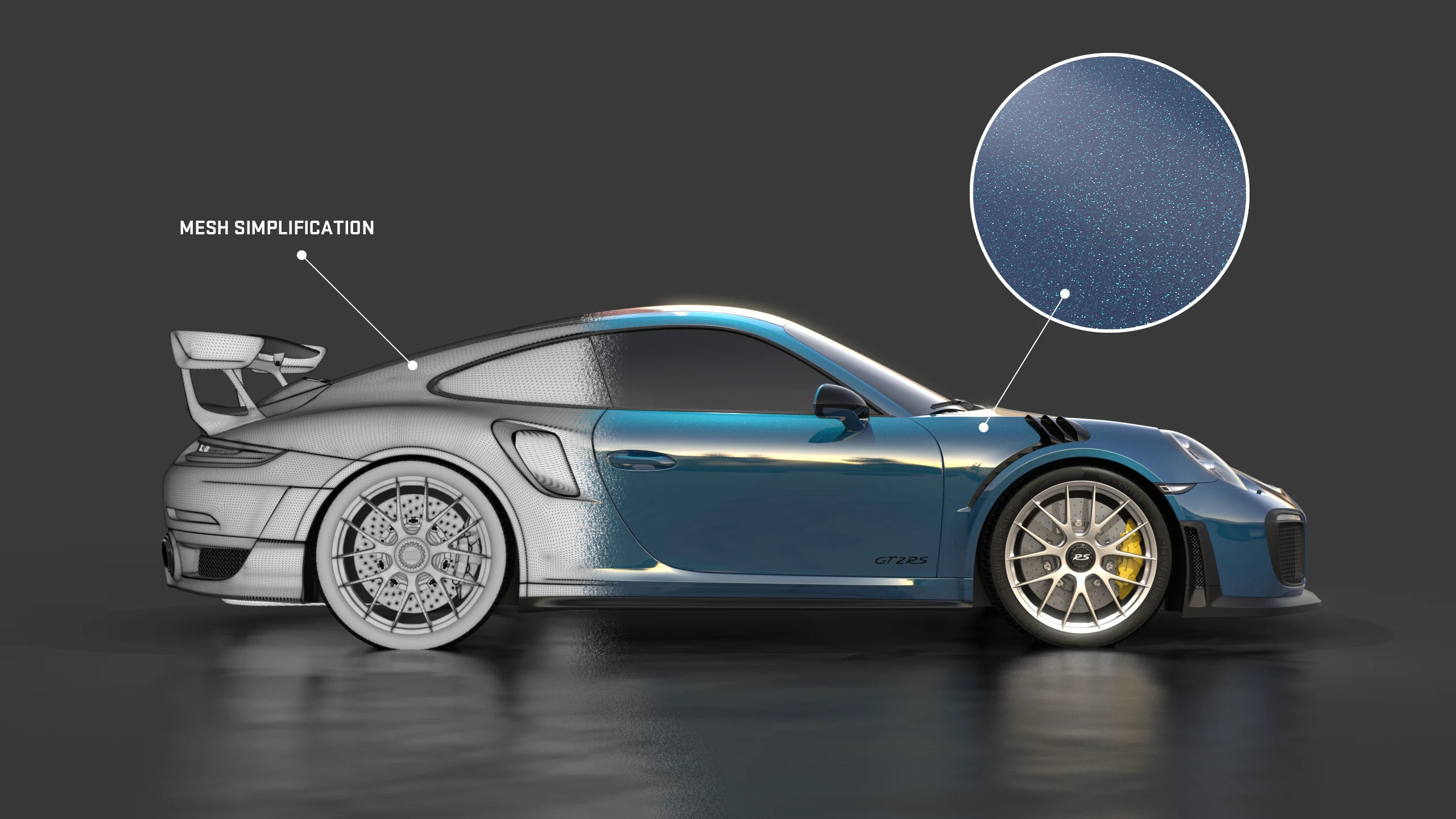
El conjunto único de materiales de pintura Axalta de KeyShot ahora ofrece la capacidad de agregar escamas de metal a la pintura con nuevas opciones de tamaño de escamas y densidad de escamas. Además, las escamas de metal se distribuyen aleatoriamente y se ajustarán al reflejo especular y al color del material de pintura Axalta subyacente.

Biblioteca de materiales

La biblioteca de materiales de KeyShot ha sido completamente renovada con nuevas miniaturas específicas de los materiales para visualizar su apariencia y propiedades con mayor precisión. Con esto, los usuarios ahora tienen la opción de seleccionar el estilo de miniatura de siete plantillas diferentes para materiales preestablecidos, descargados o recién creados. Con esto, la biblioteca ahora cargará los recursos dinámicamente, y ya no se bloqueará la biblioteca durante la carga. Nota: se recomienda utilizar el instalador completo para cargar esta nueva función.

Configurador táctil

Touch-Friendly es un nuevo estilo de diseño disponible en Configurator Wizard que proporciona una interfaz mínima y fácil de tocar para el modo de presentación. El nuevo estilo ofrece opciones de personalización específicas para los elementos de la interfaz, como el tamaño, el color, el estilo y las opciones de iconos. Los configuradores anteriores se pueden actualizar para usar el nuevo estilo eligiendo Touch-Friendly en las opciones de estilo de diseño.

Herramienta de simplificación de malla

Simplificación de malla es una nueva herramienta de geometría que permite al usuario reducir el número de triángulos en una malla mientras mantiene la forma general. Esto es útil para simplificar la geometría para su uso posterior en KeyVR u otras aplicaciones AR donde el rendimiento depende de la cantidad de triángulos en el modelo. Esta herramienta es similar a la herramienta Re-Tessellate que requiere NURBS para calcular la nueva malla. Para los modelos que no tienen NURBS, la nueva herramienta de simplificación de malla evita la necesidad de reducir la calidad del software de modelado sólo para volver a importarlo en KeyShot. Obtenga más información sobre la simplificación de la malla.

Características adicionales Otras actualizaciones que los usuarios encontrarán en KeyShot 10.2 incluyen: Vincular materiales duplicados: permite a los usuarios encontrar y agregar fácilmente materiales de escena que sean iguales. Pintura metálica: se ha mejorado el aspecto visual de las pinturas metálicas con rugosidad de revestimiento transparente. Dividir superficies de objetos: la herramienta Dividir superficies de objetos tiene una nueva opción de selección de pinceles. Exportación/Importación: Materiales mejorados para la exportación de USD/glTF, además de la nueva importación de glTF y la compresión de Draco para la exportación; importación de FBX mejorada; soporte actualizado para Creo View, CATIA V5, Jt (hasta 10.6), Parasolid (hasta 33.1); soporte para Maya 2022, SketchUp 2021 Versión sin cabeza: mejorada para proporcionar más funciones y y un ejecutable separado.

KEYSHOT 10.2 AGORA DISPONÍVEL

Hoje, lançamos o KeyShot 10.2. Introduzimos alguns novos recursos excelentes com o KeyShot 10 e as atualizações com o KeyShot 10.2 completam o foco com o KeyShot 10 nas áreas de materiais, geometria e fluxo de trabalho. Em cada um deles, as melhorias no desempenho e no uso permaneceram uma prioridade. Liderando os novos recursos estão as principais melhorias para cáusticos, uma biblioteca de materiais renovada, um novo estilo de configurador amigável ao toque e uma nova ferramenta de simplificação de malha, junto com novas opções de importação e muitas outras melhorias em materiais, interface de usuário e recursos de fluxo de trabalho.

Car- Keyshot - Aufiero Informática

Destaques do recurso KeyShot 10.2

O seguinte destaca os principais recursos do KeyShot 10.2. Mais detalhes e exemplos dos novos recursos do KeyShot 10 estão disponíveis em keyshot.com/whats-new/. A lista completa de recursos e melhorias no KeyShot 10, junto com informações sobre como cada recurso funciona, está disponível no Guia de Novidades do KeyShot 10. Os novos recursos principais incluem:

Cáusticos
Um novo algoritmo cáustico foi desenvolvido para o KeyShot 10 com refinamento adicional e melhorias de velocidade feitas no KeyShot 10.2. O novo algoritmo pode lidar com milhares de luzes, roda incrivelmente rápido nas novas GPUs NVIDIA RTX Ampere e permite que detalhes e estruturas finas nos cáusticos sejam vistos em uma fração do tempo, tanto de perto quanto à distância. Além disso, os cáusticos foram aprimorados para uma iluminação suave do ambiente e um brilho mais consistente. Leia mais sobre como renderizar cáusticos no KeyShot na GPU.

keyshot-10-caustics-david-merz-Aufiero Informática

Tintas Axalta

O conjunto exclusivo KeyShot de materiais de pintura Axalta agora oferece a possibilidade de adicionar flocos de metal à tinta com novas opções de Tamanho de Floco e Densidade de Floco. Além disso, os flocos de metal são distribuídos aleatoriamente e corresponderão à reflexão especular e à cor do material de pintura Axalta subjacente.

Biblioteca de Materiais

A Biblioteca de Materiais KeyShot foi completamente refeita com novas miniaturas específicas de materiais para visualizar a aparência e as propriedades do material com mais precisão. Com isso, os usuários agora têm a opção de selecionar o estilo de miniatura entre sete modelos diferentes para materiais predefinidos, baixados ou recém-criados. Junto com isso, a biblioteca agora carregará recursos dinamicamente, não travando mais a biblioteca durante o carregamento. Nota: é recomendado usar o instalador completo para carregar esta nova funcionalidade.

Configurador Touch-Friendly

Touch-Friendly é um novo estilo de layout disponível no Configurator Wizard que fornece uma interface mínima e touch-friendly para o modo de apresentação. O novo estilo oferece opções de personalização específicas para os elementos da interface, incluindo opções de tamanho, cor, estilo e ícones. Os configuradores anteriores podem ser atualizados para usar o novo estilo, escolhendo Touch-Friendly nas opções de Estilo de Layout.

Ferramenta de simplificação de malha

Mesh Simplification é uma nova ferramenta de geometria que permite ao usuário reduzir o número de triângulos em uma malha enquanto mantém a forma geral. Isso é útil para simplificar a geometria para uso posterior em KeyVR ou outros aplicativos de AR onde o desempenho depende do número de triângulos no modelo. Esta ferramenta é semelhante à ferramenta Re-Tessellate que requer NURBS para calcular a nova malha. Para modelos que não possuem NURBS, a nova ferramenta Mesh Simplification evita a necessidade de reduzir a qualidade do software de modelagem apenas para reimportá-lo para o KeyShot. Saiba mais sobre simplificação de malha.

Características adicionais Outras atualizações que os usuários encontrarão no KeyShot 10.2 incluem: Vincular materiais duplicados: permite que os usuários localizem e vinculem facilmente os materiais da cena que são iguais. Tinta metálica: aparência visual melhorada de tintas metálicas com rugosidade de revestimento transparente Dividir superfícies de objeto: a ferramenta Dividir superfícies de objeto tem uma nova opção de seleção de pincel Exportação / Importação: materiais aprimorados para exportação de USD / glTF mais novo glTF Import e compressão Draco para Exportação; importação de FBX aprimorada; suporte atualizado para Creo View, CATIA V5, Jt (até 10.6), Parasolid (até 33.1); suporte para Maya 2022, SketchUp 2021 Versão sem cabeça: aprimorada para fornecer mais funções e executável separado

KEYSHOT 10.2 NOW AVAILABLE

Today, we release KeyShot 10.2. We've introduced some great new features with KeyShot 10 and the updates with KeyShot 10.2 round out the focus with KeyShot 10 in the areas of materials, geometry, and workflow. Across each of these, improvements in performance and usage have remained a priority. Leading the new features is major improvements for caustics, a revamped Materials Library, a new touch-friendly Configurator style, and a new Mesh Simplification Tool, along with new import options and many other improvements across materials, user interface, and workflow capabilities.

Car- Keyshot - Aufiero Informática

KeyShot 10.2 Feature Highlights

The following highlights the top features in KeyShot 10.2. More details and examples of the new capabilities across KeyShot 10 are available at keyshot.com/whats-new/. The entire list of features and improvements in KeyShot 10, along with information on how each feature works, is available in the KeyShot 10 What’s New Guide. Key new features include:

Caustics
A new caustic algorithm was developed for KeyShot 10 with additional refinement and speed improvements made in KeyShot 10.2. The new algorithm can handle thousands of lights, runs blazingly fast on the new NVIDIA RTX Ampere GPUs, and allows details and fine structures in the caustics to be seen in a fraction of the time, both up close and at a distance. Additionally, caustics have been improved for smooth environment lighting and more consistent brightness. Read more about Rendering Caustics in KeyShot on the GPU.

keyshot-10-caustics-david-merz-Aufiero Informática

Axalta Paints

The KeyShot exclusive set of Axalta paint materials now offer the possibility of adding metal flakes to the paint with new options for Flake Size and Flake Density. Additionally, the metal flakes are randomly distributed and will match the specular reflection and color of the underlying Axalta paint material.

Materials Library

The KeyShot Materials Library has been completely re-done with new material-specific thumbnails to visualize material appearance and properties more accurately. With this, users now have the option to select the thumbnail style from among seven different models for preset, downloaded, or newly created materials. Along with this, the library will now load resources dynamically, no longer locking the library while loading. Note: it is recommended to use the full installer to load this new functionality.

Touch-Friendly Configurator

Touch-Friendly is a new Layout Style available in the Configurator Wizard that provides a minimal, touch-friendly interface for Presentation mode. The new style provides customization options specific to the interface elements including options for size, color, styling, and icons. Previous configurators may be updated to use the new style by choosing the Touch-Friendly in the Layout Style options.

Mesh Simplification Tool

Mesh Simplification is a new Geometry Tool that allows a user to reduce the number of triangles in a mesh while keeping the overall shape. This is useful to simplify geometry for later use in KeyVR or other AR applications where performance relies on the number of triangles in the model. This tool is similar to the Re-Tessellate tool that requires NURBS to calculate the new mesh. For models that do not have any NURBS, the new Mesh Simplification tool prevents the need to reduce the quality in the modeling software only to re-import it into KeyShot. Learn more about Mesh Simplification.

Additional Features Other updates users will find in KeyShot 10.2 include: Link Duplicate Materials: allows users to easily locate and link scene materials that are the same. Metallic Paint: improved visual appearance of metallic paints with clear coat roughness Split Object Surfaces: Split Object Surfaces Tool has a new brush select option Export/Import: improved materials for USD/glTF export plus new glTF Import and Draco compression for Export; improved FBX import; updated support for Creo View, CATIA V5, Jt (up to 10.6), Parasolid (up to 33.1); support for Maya 2022, SketchUp 2021 Headless version: improved to provide more functions and separate executable

KEYSHOT 10.1 AGORA DISPONÍVEL

Hoje, estamos ansiosos para apresentar o KeyShot 10.1. Com o KeyShot 10, a Luxion introduziu gerenciamento de luz consolidado, recursos avançados de quadro-chave e animação de ambiente, o novo Smart Export para uma ampla variedade de opções de saída 3D e uma ferramenta Move completamente redesenhada para melhor acessibilidade e posicionamento.
O KeyShot 10.1 traz adições para complementar o recurso e o fluxo de trabalho com detecção de colisão e resolução de peças, exportação inteligente para vários formatos de AR de uma vez, importação de USD e seleção múltipla para Light Manager e animação de quadro-chave. Junto com essas atualizações, Luxion lançou o Portal KeyShot com uma nova licença de teste para gerenciamento e acessibilidade aprimorados das licenças KeyShot.

Detecção e liquidação de colisão

KeyShot 10.1 inclui Detecção de Colisão básica de objetos, junto com a habilidade de liquidar itens em outros objetos e no solo. Incluído na nova ferramenta Move, Collision Detection and Settle é útil para a configuração da cena quando os objetos precisam de uma disposição mais realista no solo ou entre outros objetos. A detecção de colisão também pode ser usada separadamente como uma maneira fácil de alinhar objetos enquanto os mantém cientes e separados de outros objetos na cena.

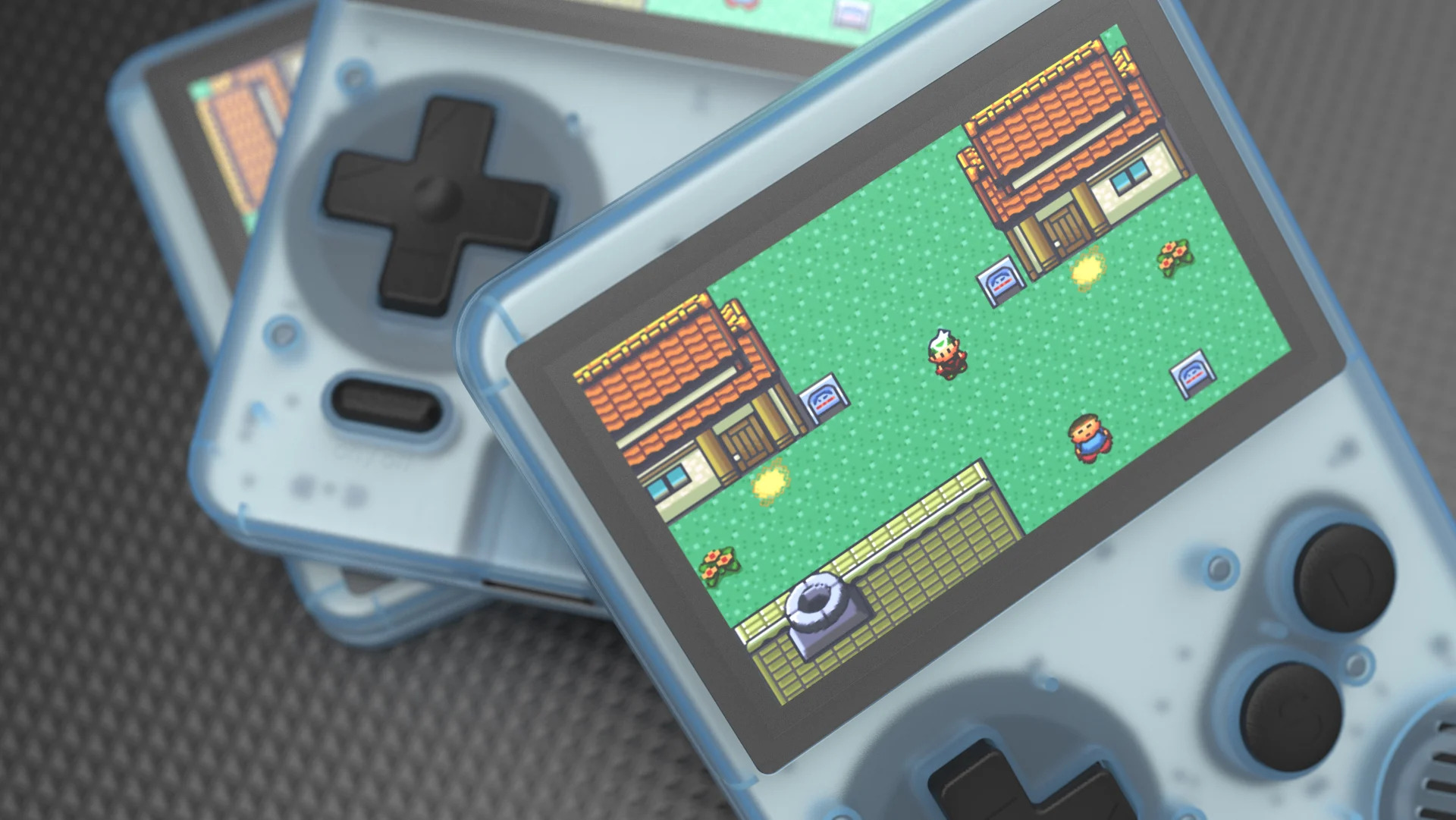
Game- Keyshot - AufieroInformatica

Aprimoramentos de exportação / importação inteligente

O KeyShot 10.1 apresenta a capacidade de exportar um arquivo KeyShot em arquivos USDz e GLB separados como parte de um processo de exportação que executa o cozimento e o desempacotamento UV juntos, permitindo a criação fácil de arquivos que funcionam para dispositivos Apple iOS (USDz) e Android / Web (glTF / GLB). O cozimento e o desembrulhamento por UV também podem ser cancelados. A importação de USD também foi adicionada às opções de importação do KeyShot para permitir que você avance a aparência de seu modelo e, em seguida, exporte-o para várias plataformas AR.

Melhorias de iluminação

Para o Light Manager, o KeyShot 10.1 introduz a capacidade de selecionar e controlar várias luzes simultaneamente, fazendo ajustes proporcionais para toda a iluminação de uma cena ou selecionar a iluminação, de forma rápida e eficiente. O KeyShot 10.1 também melhora o uso do Light Gizmo e do Light Manager ao introduzir a capacidade de sincronizar e desfazer alterações usando Ctrl-Z (Windows) / command-Z (Mac) ou através do menu Editar, Desfazer.

Aprimoramentos de animação de quadro-chave

O KeyShot 10.1 apresenta a capacidade de selecionar vários quadros-chave de uma só vez na Linha de tempo da animação, usando Ctrl (Windows) / comando (Mac). Além disso, vários frames-chave podem ser copiados e colados ao longo do mesmo nó usando Ctrl-C + Ctrl-V (Windows) / command-C + command-V (Mac) ou colados como espelhados. Por último, as curvas de atenuação personalizadas agora também podem ser editadas para várias animações ao mesmo tempo.

KEYSHOT 10.1 NOW AVAILABLE

Today, we're excited to bring you KeyShot 10.1. With KeyShot 10, Luxion introduced consolidated light management, advanced keyframe and environment animation capabilities, the all-new Smart Export for a wide variety of 3D output options, and a completely redesigned Move Tool for improved accessibility and placement.
KeyShot 10.1 brings additions to complement both feature and workflow with Collision Detection and Part Settling, Smart Export to multiple AR formats at once, USD Import, and multi-selection for both Light Manager and Keyframe Animation. Along with these updates, Luxion has launched KeyShot Portal with new trial licensing for improved management and accessibility of KeyShot licenses.

Collision Detection and Settle

KeyShot 10.1 includes basic Collision Detection of objects, along with the ability to Settle items on other objects and the ground. Included in the new Move Tool, Collision Detection and Settle is useful for scene setup when objects need a more realistic arrangement on the ground or amongst other objects. Collision Detection may also be used separately as an easy way to align objects while keeping them aware and separate from other objects in the scene.

Game- Keyshot - AufieroInformatica

Smart Export/Import Enhancements

KeyShot 10.1 introduces the ability to export a KeyShot file into separate USDz and GLB files as part of one export process that performs the Baking and UV unwrapping together, allowing easy creation of files that work for both Apple iOS (USDz) devices and Android/Web (glTF/GLB). Baking and UV Unwrapping can now also be canceled. USD import has also been added to the Import options for KeyShot to allow you to advance the appearance of their model then export it to multiple AR platforms.

Lighting Enhancements

For the Light Manager, KeyShot 10.1 introduces the ability to select and control multiple lights simultaneously, making proportional adjustments to the entirety of a scene’s lighting or select lighting, fast and efficient. KeyShot 10.1 also improves Light Gizmo and Light Manager usage by introducing the ability to sync changes and undo changes using Ctrl-Z (Windows)/command-Z (Mac) or via the Edit, Undo menu.

Keyframe Animation Enhancements

KeyShot 10.1 introduces the ability to select multiple keyframes at once from within the Animation Timeline, using Ctrl (Windows)/command (Mac). Additionally, multiple keyframes may be copied and pasted along the same node using Ctrl-C + Ctrl-V (Windows)/command-C + command-V (Mac) or pasted as mirrored. Lastly, Custom Easing Curves may now also be edited for multiple animations at once.

KEYSHOT 10.1 YA DISPONIBLE

Hoy, nos complace presentarles KeyShot 10.1. Con KeyShot 10, Luxion introdujo una gestión de la luz consolidada, funciones avanzadas de animación de fotogramas clave y entornos, la nueva exportación inteligente para una amplia variedad de opciones de salida 3D y una herramienta de movimiento completamente rediseñada para mejorar la accesibilidad y la ubicación.

KeyShot 10.1 trae adiciones para complementar tanto la función como el flujo de trabajo con detección de colisiones y asentamiento de piezas, exportación inteligente a múltiples formatos AR a la vez, importación de USD y selección múltiple para Light Manager y animación de fotogramas clave. Junto con estas actualizaciones, Luxion ha lanzado KeyShot Portal con nuevas licencias de prueba para mejorar la administración y la accesibilidad de las licencias de KeyShot.

Las nuevas características clave incluyen:

Detección y solución de colisiones

En otros objetos y en el suelo. Incluido en la nueva herramienta Mover, Detección y asentamiento de colisiones es útil para la configuración de escenas cuando los objetos necesitan una disposición más realista en el suelo o entre otros objetos. La detección de colisiones también se puede usar por separado como una manera fácil de alinear objetos mientras los mantiene alerta y separados de otros objetos en la escena.

Game- Keyshot - AufieroInformatica

Mejoras inteligentes de exportación / importación

KeyShot 10.1 introduce la capacidad de exportar un archivo KeyShot a archivos USDz y GLB separados como parte de un proceso de exportación que realiza el desenvolvimiento de horneado y UV juntos, lo que permite la creación fácil de archivos que funcionan tanto para dispositivos Apple iOS (USDz) como para Android / Web. (glTF / GLB). Ahora también se puede cancelar el horneado y el desenvuelto UV. La importación de USD también se ha agregado a las opciones de Importación para KeyShot para permitirle avanzar en la apariencia de su modelo y luego exportarlo a múltiples plataformas AR.

Mejoras de iluminación

Para el Light Manager, KeyShot 10.1 presenta la capacidad de seleccionar y controlar múltiples luces simultáneamente, haciendo ajustes proporcionales a la totalidad de la iluminación de una escena o la iluminación seleccionada, de manera rápida y eficiente. KeyShot 10.1 también mejora el uso de Light Gizmo y Light Manager al introducir la capacidad de sincronizar y deshacer cambios usando Ctrl-Z (Windows) / command-Z (Mac) o mediante el menú Editar, Deshacer.

Mejoras en la animación de fotogramas clave

KeyShot 10.1 introduce la capacidad de seleccionar varios fotogramas clave a la vez desde dentro de la línea de tiempo de animación, usando Ctrl (Windows) / comando (Mac). Además, se pueden copiar y pegar varios fotogramas clave en el mismo nodo usando Ctrl-C + Ctrl-V (Windows) / comando-C + comando-V (Mac) o pegar como duplicado. Por último, las curvas de aceleración personalizadas ahora también se pueden editar para varias animaciones a la vez.