KeyShot

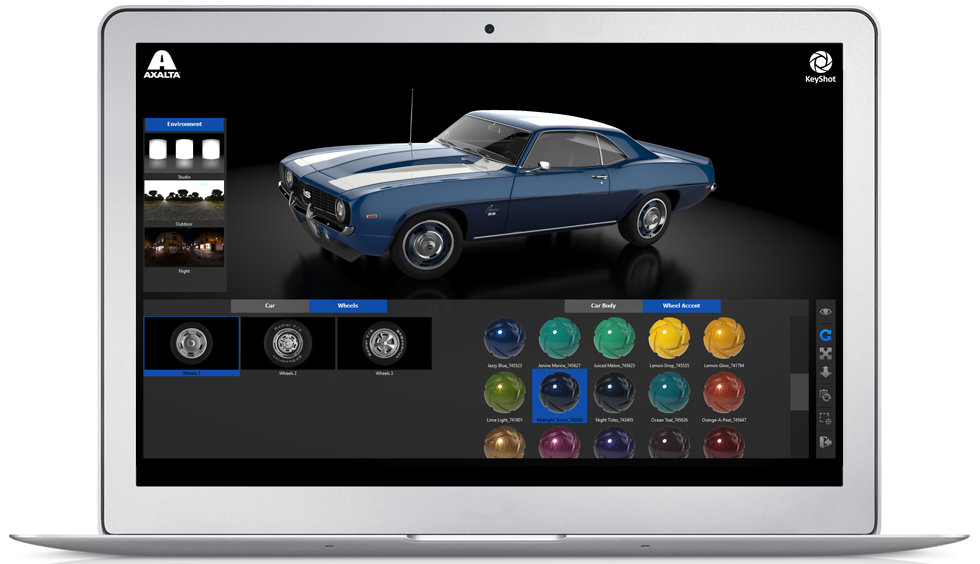
KeyShot Viewer is a free, stand-alone desktop application that enables secure sharing of KeyShot scenes for interactive, photo-realistic 3D model viewing, presentation and configuration, using the same real-time ray tracing render engine as KeyShot to produce amazing visuals with speed and quality.

KeyShot Viewer Features

The KeyShot Viewer is a feature-rich application to compliment your design review, presentations, and collaboration. Features include:

Real-time Render Quality

See your scene update instantly with the highest quality, real-time experience possible.

Mouse/Touch Interaction

Explore with mouse or touch-enabled device using finger gestures or fly-out toolbar.

Full 360° View Control

Explore your product concepts, configuration, and production visuals in full 360 degrees.

Product Configurators

View product configurators created with KeyShot Pro to show variations for reviews or on product displays.

Image/Metadata Output

Tap to save a screenshot that includes metadata with active variation and camera information.

Security Control

Control file access and prevent misuse with password protection and watermark overlay.

How It Works

Open, view and interact with a KeyShot scene in real-time. Use mouse, touch, pen or stylus to explore the scene or change materials and lighting.

KeyShot Benchmark

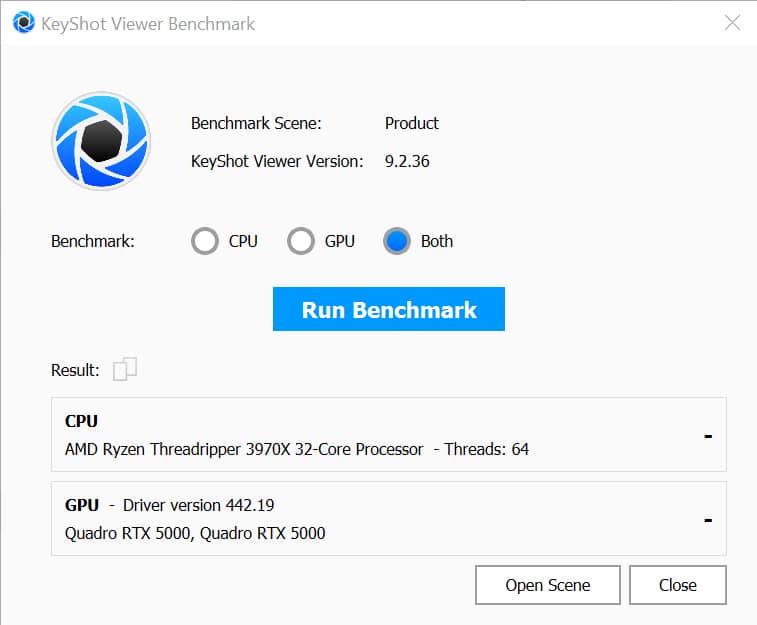
KeyShot Benchmark provides easy, fast evaluation of your rendering system. This KeyShot Viewer tool indicates how fast your CPU or GPU will render KeyShot scenes compared to a reference system.